
Do I need a powerful computer for a VR headset?
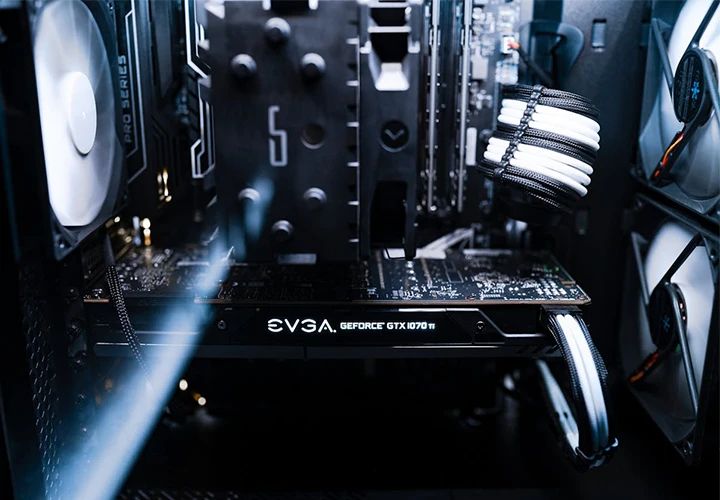
In most cases, no. Standalone headsets work without a computer and are the standard in companies in 2026. You only need a powerful computer for graphically demanding simulations. In that case, we recommend at least an NVIDIA GeForce RTX 5060 Ti with 16 GB of video memory, and an RTX 5070 Ti or better for photorealistic rendering.
1. Standalone VR headsets
Headsets such as the Meta Quest 3, the Pico 4 Ultra Enterprise, the Apple Vision Pro or the Samsung Galaxy XR need no external computer because they work on their own. Their built-in processors and memory are enough to run many applications directly on the headset. These devices are ideal if you want to offer VR without much technical setup or take the headsets with you to different locations.
Standalone devices do have limited graphics performance, though. Details usually have to be reduced and object surfaces simplified so the application runs smoothly. Scenes also can’t be arbitrarily large, which is why visual content is often split into many small sub-scenes. For many use cases, however, these limitations don’t matter. Take a VR training app that teaches you how to replace a fuse: all that counts is that the objects closely resemble the real ones. They don’t have to be photorealistic. You learn the principle, meaning which steps to take in which order, not what material the fuse is made of. The price of the devices, ease of use and mobility often count for more than “the speck of dust in the simulation.”
2. VR headsets with a computer
Pure PC headsets have become rare. Current devices run on their own and draw on a computer for graphics when needed: by cable, like the HTC Vive Focus Vision, or wirelessly, like the Valve Steam Frame and the Meta Quest 3. Only in the professional segment, for example with the Varjo XR-4, is the computer a fixed part of the setup.
The computer delivers higher graphics quality, more realistic worlds and more elaborate simulations. What it needs to handle depends on your requirements:
| Requirement | Graphics card | Processor | RAM |
|---|---|---|---|
| Sensible starting point | NVIDIA GeForce RTX 5060 Ti with 16 GB | 8 cores | 16 to 32 GB |
| Photorealistic simulation | NVIDIA GeForce RTX 5070 Ti or better | 8 cores | 32 GB |
| Highest quality, for example Varjo XR-4 | NVIDIA GeForce RTX 5090 | 16 cores | 64 GB |
As of September 2026. The manufacturers’ minimum requirements are considerably lower. HTC, for example, specifies a card in the GeForce RTX 2060 class. We still recommend the higher class because cards with 8 GB of video memory are now reaching their limits. For the photorealistic class, we follow Varjo’s requirements. Intel graphics cards and workstation cards are not suitable for connecting a Meta Quest.
These systems are usually used in one fixed location. They are the choice when you want to show very large and detailed simulations. Presenting a car is a good example, because it is less about functions and more about how the surfaces look. The shine of the paint or the grain of the leather has to be rendered in such detail that you can practically smell it. Only a correspondingly powerful system can do that.
Conclusion
For most applications, a standalone headset in the €360 to €1,000 range is all you need. If you want high-end VR experiences and maximum performance, however, you need a powerful gaming PC. Setups like these cost between €2,000 and €10,000.