Swisscom
Swisscom: Setting Up the Router With Augmented Reality and Object Recognition
The augmented reality app for Swisscom recognizes the router, power supply, and cables through the smartphone camera. It shows right on the device which cable goes into which port and which button to press when.
- Client
- Swisscom
- Industry
- Telecommunications, customer service
- Use
- Training, Sales and marketing
- Format
- Augmented Reality
- Format
- AR app
- Technology
- Object recognition
- Use
- Customer service
- Year
- 2021
A new router arrives in the mail. The box contains the device, a power supply, several cables, and a printed manual. For many customers, this is where the uncertainty begins: Which cable is which, which port is the right one, which button do I press when? Anyone who gets stuck calls support. For Swisscom, we developed an augmented reality app that answers exactly these questions on the real device.
At a glance
- Client: Swisscom, Switzerland’s largest telecommunications company
- Occasion: a major switch to new router hardware for a very large number of customers
- Goal: customers set up their new Internet-Box themselves, without calling support
- Solution: an app with object recognition that identifies the router, power supply, and cables and shows in augmented reality what goes where
- Devices: smartphones
The occasion: lots of new routers at once
Swisscom was switching a large share of its customers to new router hardware. Every customer who gets stuck along the way calls support. With so many devices at once, that quickly becomes a wave a hotline can hardly handle. The app was meant to guide customers through the installation so reliably that this call would not be needed in the first place.
What the app does
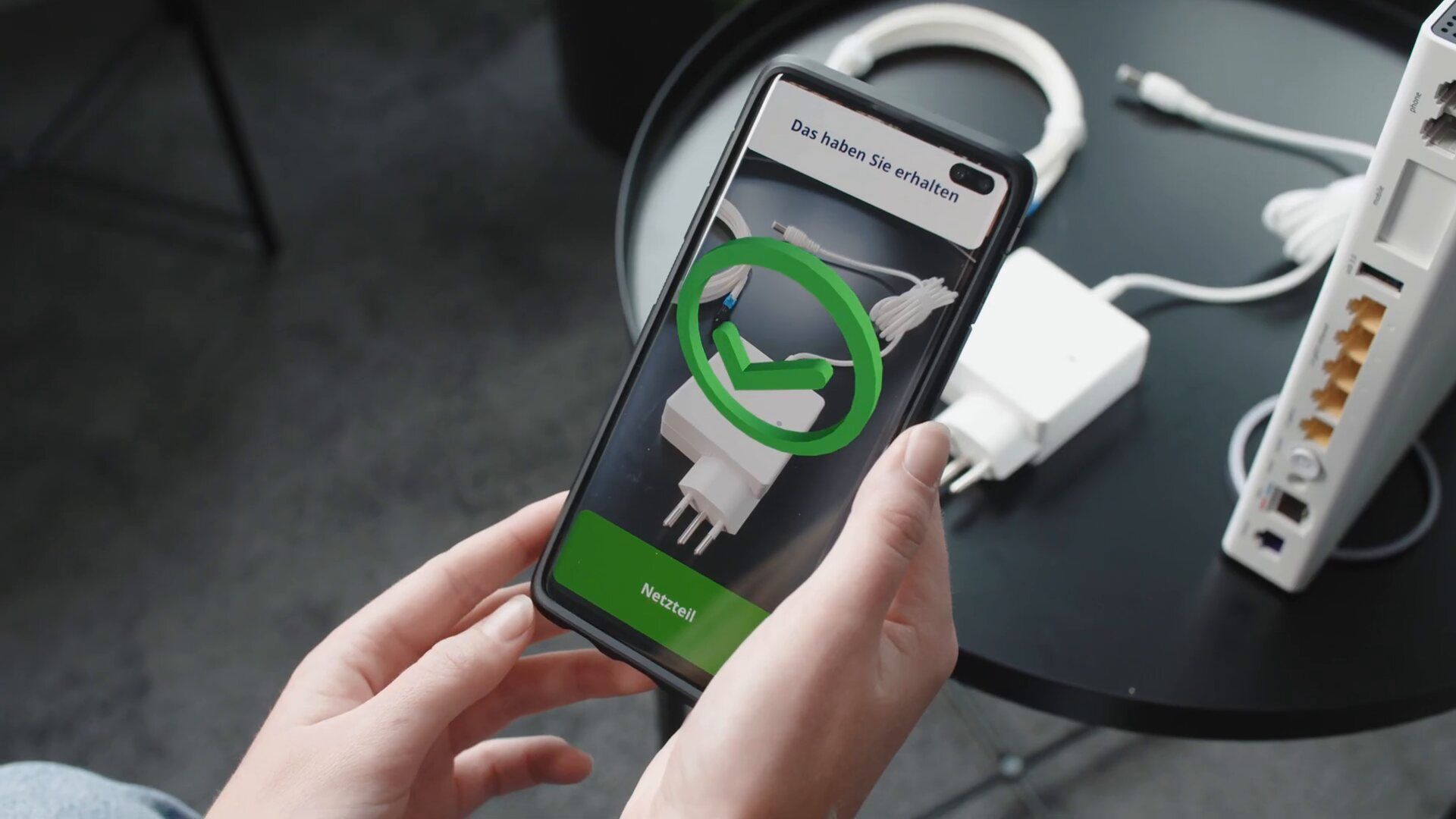
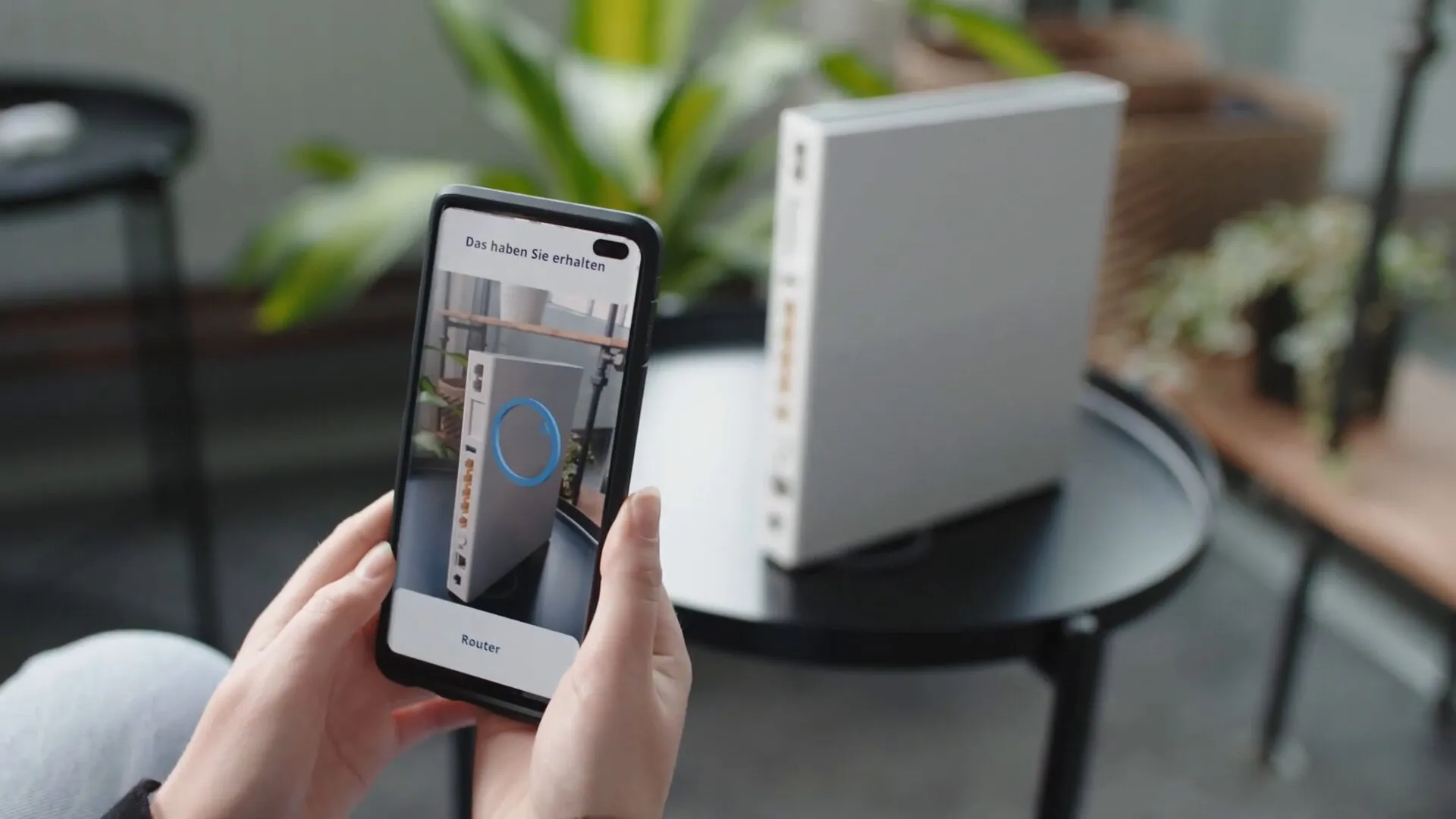
It recognizes the parts. Customers point their smartphone camera at the contents of the box. Using object recognition, the app identifies the router, the power supply, and the individual cables. A circle shows that scanning is in progress, and a green check mark confirms the recognized part. This way, customers know right away what they are holding, even without knowing its name.
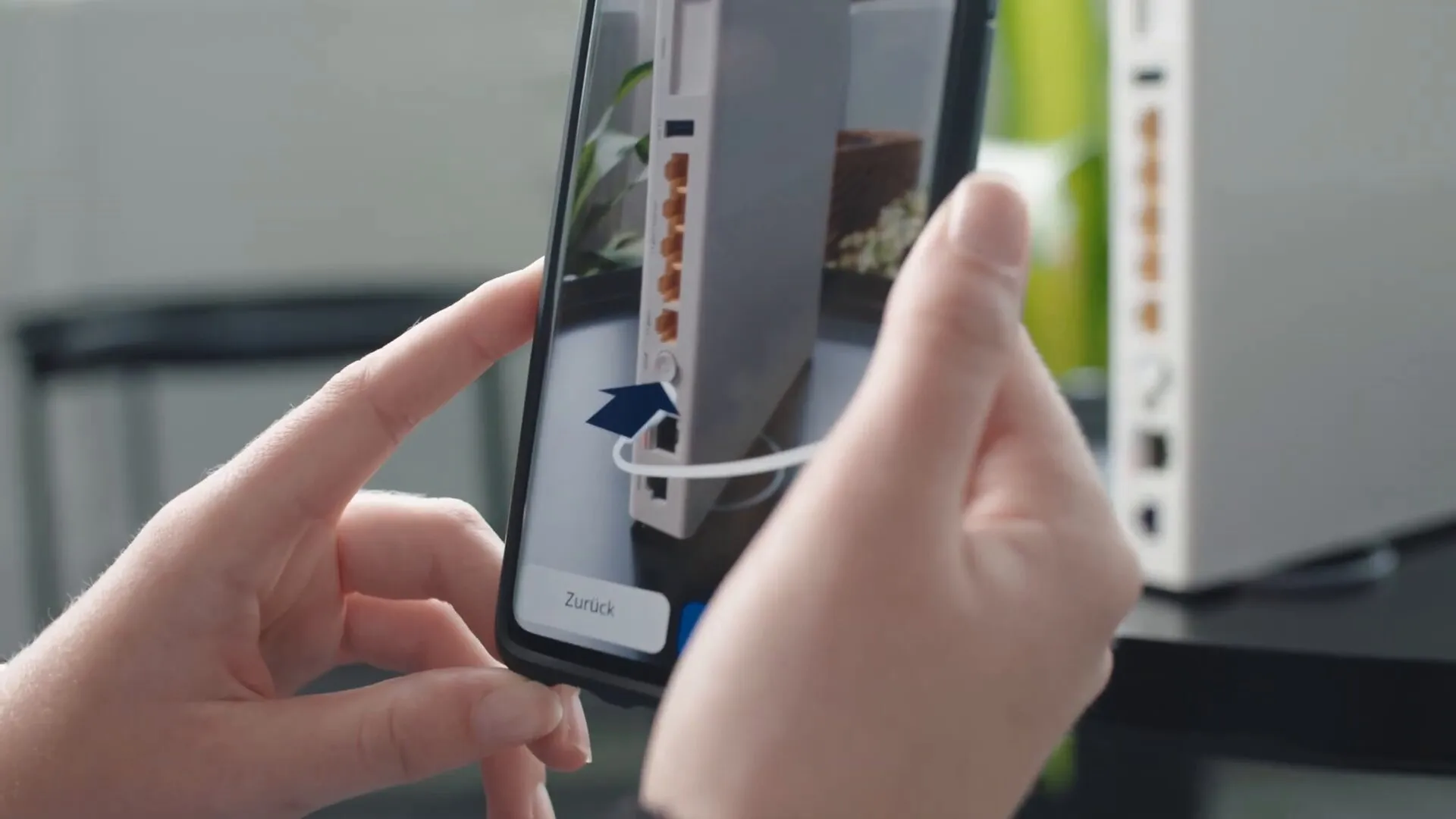
It recognizes the spots on the device. The app finds the ports, connectors, and buttons on the real router. So it knows not only which device is in front of it, but also where on that device something needs to be done.
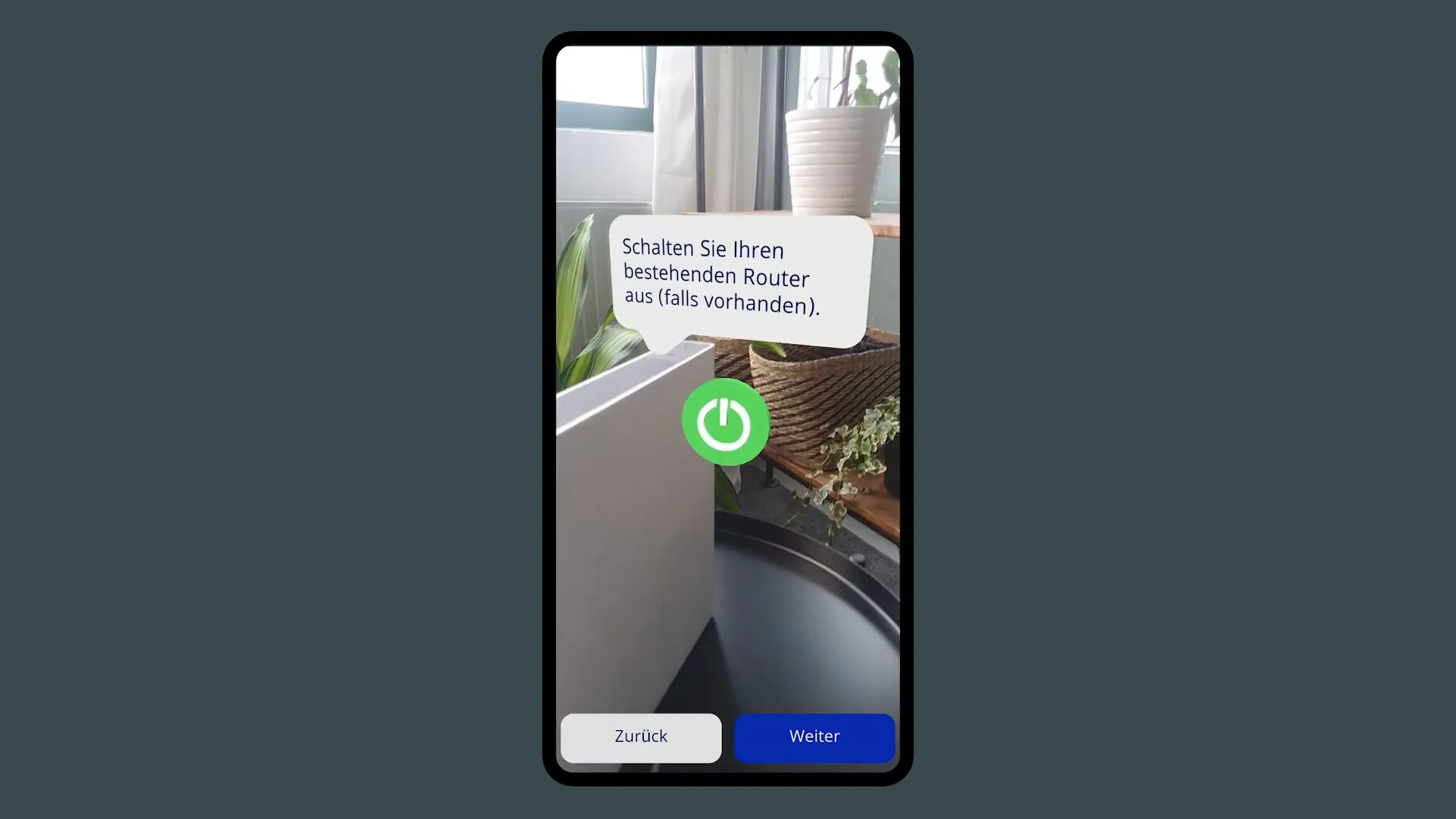
It shows everything in augmented reality. Arrows and notes appear in the camera image right on the device: this cable goes into this port, press this button now. One step at a time, at your own pace, and from the angle the customer is looking from.
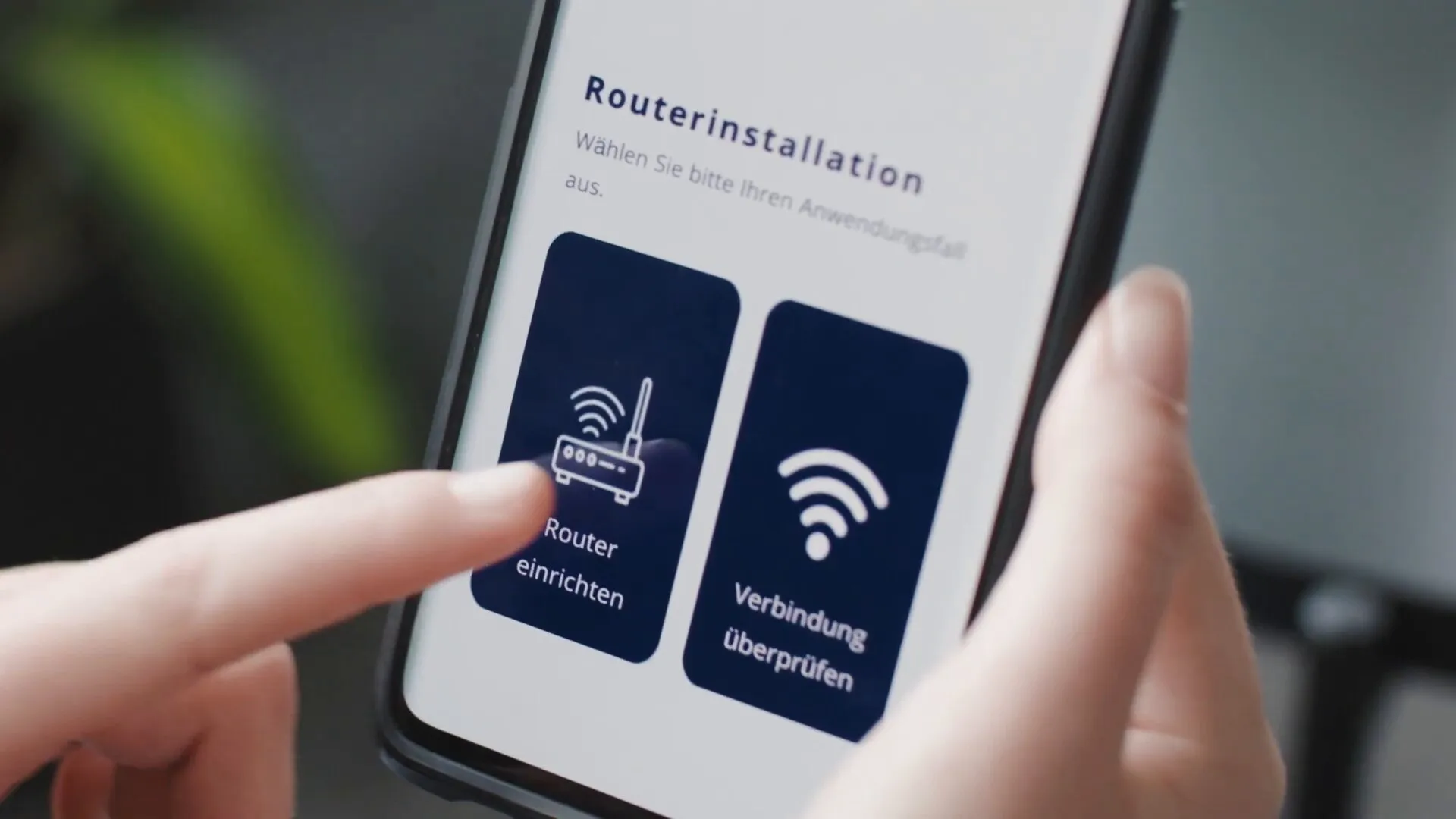
Besides setup, the app offers a second path: if the router is already running, it can be used to check the connection.

Why object recognition and augmented reality beat paper here
A printed manual shows a drawing of the device. Customers have to map that drawing onto the real device in their heads and match the cables themselves. That is exactly where mistakes happen. The app takes care of both: object recognition tells which part is which, and augmented reality shows the steps on the real device.
For a telecommunications company, this pays off directly:
- Fewer support calls, because customers get stuck less often.
- Fewer technician visits, because self-installation succeeds more often.
- Happier customers, because their first contact with the new product is a success.
What carries over
The principle works for any device that customers or employees set up or maintain themselves: wall boxes for electric cars, heat pumps, coffee machines, printers, measuring instruments, or production machinery. Wherever a paper manual or a service technician is needed today, an AR guide with object recognition can reduce the effort.
Find more examples and use cases on our page about augmented reality.