
How do I manage multiple VR devices?
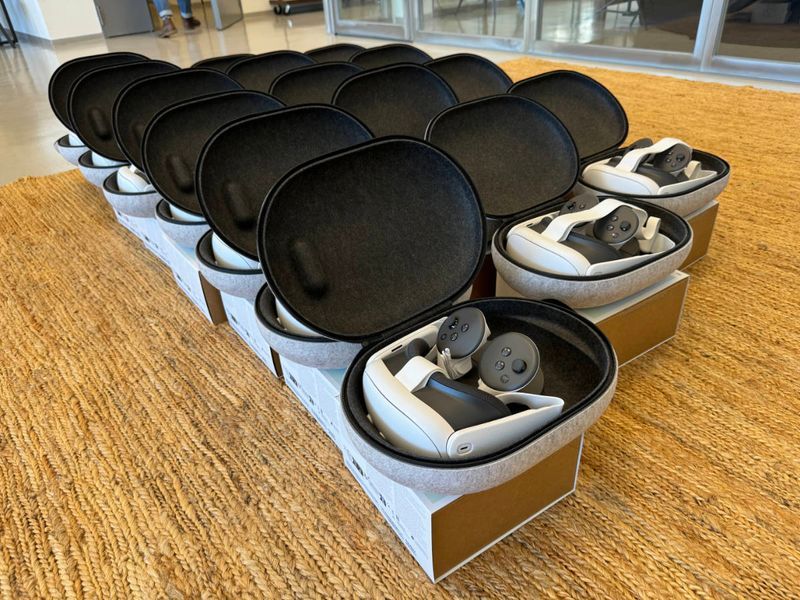
Up to five VR headsets are easy to manage by hand: install content via USB cable and store each device as a labeled set in a case. With more devices, management software such as ArborXR or ManageXR and a carrying case with a charging station are worth it.
If you use virtual reality devices in your company, managing them properly is key, and the right approach depends heavily on how many devices you run. Here are some tips for keeping the effort manageable and getting the most out of your devices.
1. Managing individual devices (1 to 5 VR headsets)
If you only have one to five VR headsets, managing them is fairly straightforward. Here are some recommendations:
- Installing content: With just a few devices, you can simply install the content on the VR headsets one after another via USB cable.
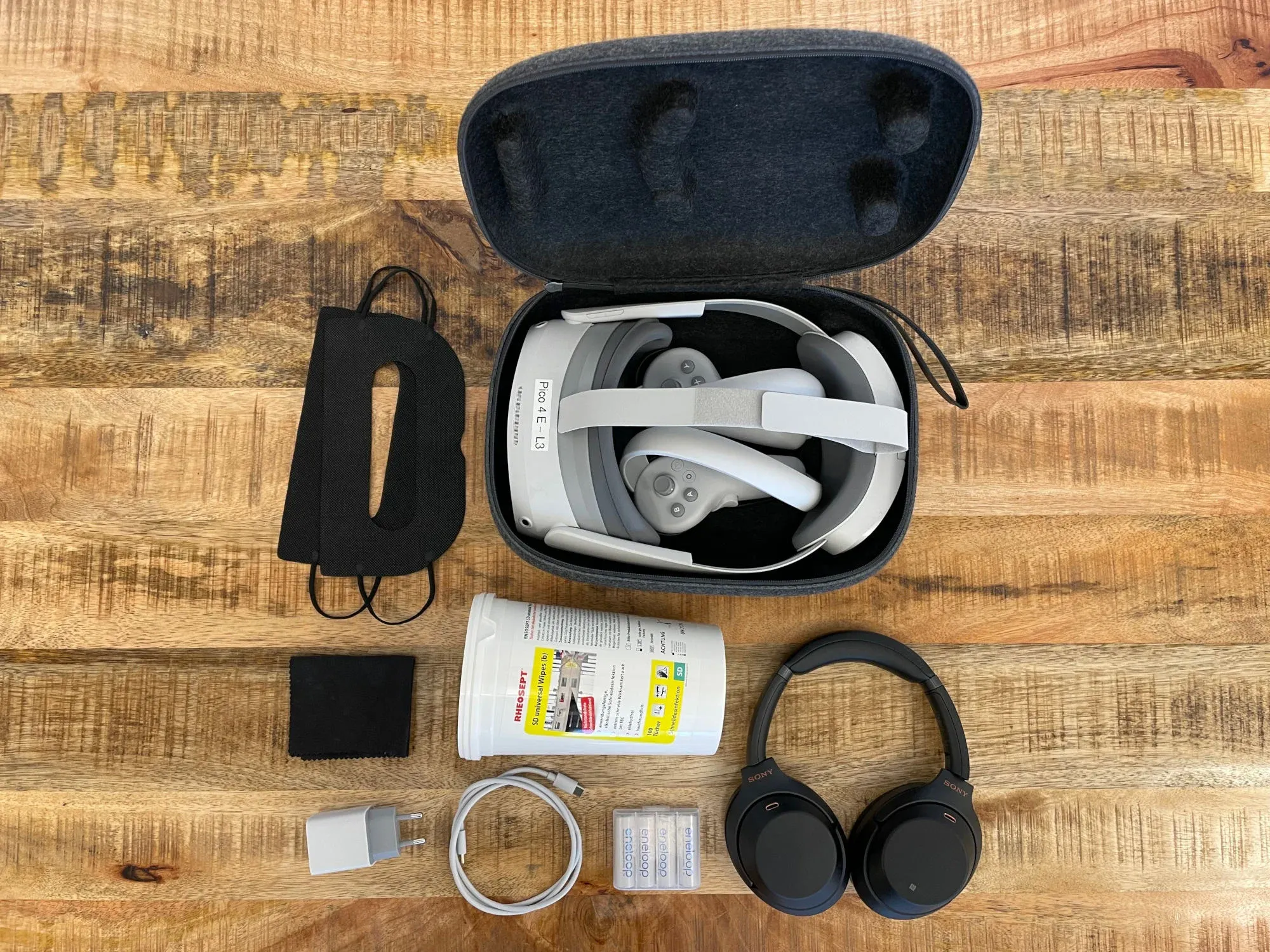
- Transport and storage: Use sturdy carrying cases that protect the devices in transit. The headset manufacturers offer good cases. Make sure each device is organized as a complete set, including a cleaning cloth, spare batteries and a charging cable.
- Labeling: Label each set clearly so you always know which device is in which bag. This especially helps when you manage several devices, and it makes them easier to use as a team.
- Maintenance and care: If the devices won’t be used for several months, charge them, switch them on and update them from time to time. Beyond that, nothing else needs to be done.
2. Managing more than five devices: software solutions
If you run more than five VR headsets, management software is worth it. These tools help you keep track of your devices and manage them efficiently. ArborXR and ManageXR are popular for VR headsets, but Microsoft Intune can also manage immersive devices. A tool like this offers a wide range of features, such as managing apps and content, rolling out updates and controlling devices remotely. There are often other useful features as well, such as kiosk mode. This is perfect for presentations because it restricts users to the application you want them to use.
We use ArborXR as our own device management software.
3. Cases for more than five devices
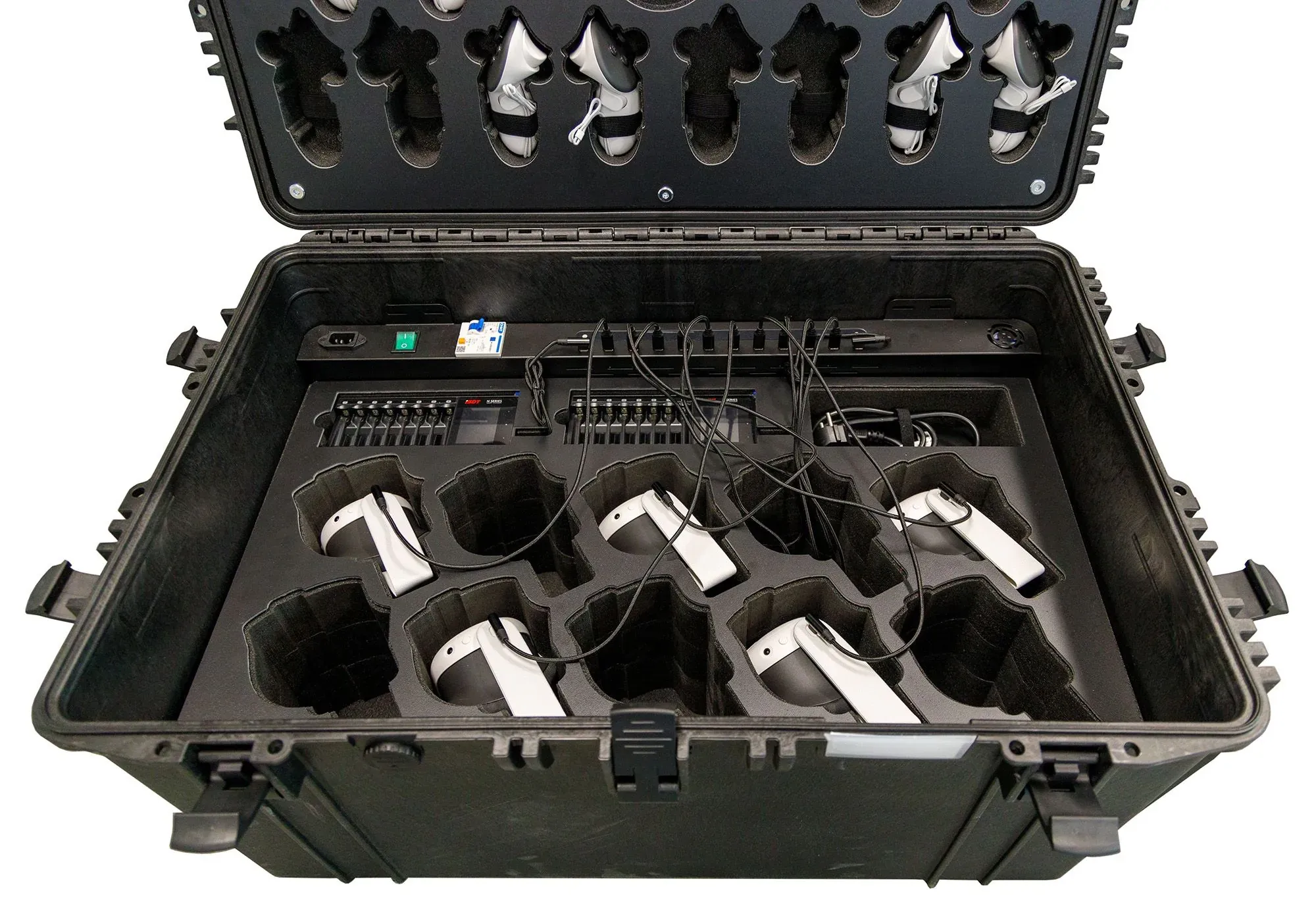
Once you have five or more devices, a case solution can be worth considering. A specially prepared carrying case lets you store several devices safely and has room for a charging station that charges all devices at the same time. You can also keep spare batteries and cleaning supplies in the case so they are always at hand and you are always prepared.
Conclusion
Managing multiple VR devices can be simple if you use the right tools and methods. For up to five devices, it is usually enough to keep the sets well organized and make sure they are properly labeled and maintained. From five devices up, management software such as ArborXR or ManageXR helps you keep track of everything and control it efficiently. Finally, a case solution ensures safe storage and easy charging on the go.